NOXPOS RESTAURANT

Your restaurant.
Service, in sync.
آپ کا ریسٹورنٹ۔
بہتر انداز میں منسلک۔

Dedicated Restaurant POS software, connected teams and clear daily workflows.آپ کے کاروبار کے لیے الگ POS سافٹ ویئر اور منسلک ٹیم۔

01

Orderآرڈر

Cashier, waiter or table QR.کیشیئر، ویٹر یا ٹیبل QR۔

02

Prepareتیاری

Separate kitchen and bar routing.کچن اور بار کی الگ روٹنگ۔

03

Serveسروس

Tables, collection and rider delivery.ٹیبل، وصولی اور رائیڈر ڈیلیوری۔

04

Reviewجائزہ

Receipts, cash sessions and reports.رسید، کیش سیشن اور رپورٹس۔

ANDROID CALL COMPANIONاینڈرائیڈ کال کمپینین

The phone rings.
NoxPos brings up the customer.
فون کی گھنٹی بجے،
کسٹمر کی تفصیل سامنے آئے۔

When an incoming call reaches your paired Android phone, NoxPos automatically brings the caller number into the PC’s delivery-customer workflow. Spend less time typing numbers and finding customer records.منسلک اینڈرائیڈ فون پر کال آتے ہی NoxPos نمبر کو خودکار طور پر PC کے ڈیلیوری کسٹمر ورک فلو میں لے آتا ہے۔ نمبر ٹائپ کرنے اور کسٹمر کا ریکارڈ تلاش کرنے میں وقت کم لگائیں۔

Save the enquiry, too.انکوائری بھی محفوظ کریں۔

Call History keeps the caller number and time. Add Call Notes, enquiry details and follow-up status. Taking a call or saving an enquiry does not automatically create an order.کال ہسٹری میں نمبر اور وقت محفوظ ہوں۔ Call Notes، انکوائری کی تفصیل اور فالو اپ اسٹیٹس درج کریں۔ کال وصول کرنے یا انکوائری محفوظ کرنے سے خودکار آرڈر نہیں بنتا۔

Requires the paired Android Call Companion, caller-number permissions, the same local Wi-Fi/LAN and an open, signed-in NoxPos PC. Caller-number availability depends on the phone and permissions.منسلک اینڈرائیڈ کال کمپینین، کالر نمبر کی اجازت، ایک ہی مقامی وائی فائی یا LAN اور PC پر کھلا، لاگ اِن NoxPos درکار ہے۔ نمبر کی دستیابی فون اور اجازتوں پر منحصر ہے۔

  1. 01

    Call receivedکال موصول ہو

    A customer calls the Android phone paired with NoxPos.کسٹمر NoxPos سے منسلک اینڈرائیڈ فون پر کال کرے۔

  2. 02

    Customer lookup opensکسٹمر کی اسکرین کھلے

    The PC opens the delivery-customer workflow and searches the incoming number.PC پر ڈیلیوری کسٹمر کا ورک فلو کھلے اور آنے والا نمبر تلاش ہو۔

  3. 03

    Continue with the customerکسٹمر کے ساتھ کام جاری رکھیں

    An exact customer match is selected automatically. For a new caller, the mobile number is prefilled for entry.نمبر ملنے پر موجودہ کسٹمر خود منتخب ہو۔ نئے کالر کا نمبر کسٹمر اندراج کے لیے پہلے سے درج ہو۔

Restaurant · v1.1.2

What’s new in Restaurantاس ایڈیشن میں نیا کیا ہے؟

Incoming calls on the POSآنے والی کال پی او ایس پر

A paired Android Call Companion can automatically show an available caller number on Main PC over local Wi-Fi. Staff can look up the customer, save inquiry notes and start an order manually. Handset support and permissions apply.منسلک اینڈرائیڈ کال کمپینین مقامی وائی فائی پر دستیاب کالر نمبر خود پی سی پر دکھاتا ہے۔ عملہ کسٹمر تلاش کر کے نوٹ درج اور آرڈر شروع کر سکتا ہے۔ فون کی مطابقت اور اجازت ضروری ہیں۔

Dine-in Pay Laterڈائن اِن بعد میں ادائیگی

Enable Pay Later to send items and add-ons to the kitchen against an open table, review change and bill requests, and settle the final invoice when the guest pays.بعد میں ادائیگی فعال کر کے کھلی میز کی اشیا اور اضافی آئٹم کچن کو بھیجیں، تبدیلی اور بل کی درخواست دیکھیں اور آخر میں ادائیگی لیں۔
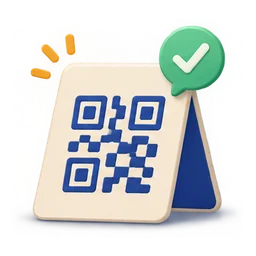
Table QR and live order statusمیز کیو آر اور لائیو آرڈر

Print table-specific QR codes. Guests can order, follow kitchen or bar updates and request the bill. Staff approve mobile order requests on Main PC.ہر میز کا کیو آر پرنٹ کریں۔ مہمان آرڈر، کچن یا بار کی تازہ حالت اور بل کی درخواست دیکھ سکتے ہیں۔ عملہ پی سی پر آرڈر منظور کرتا ہے۔

Offers, vouchers and gift cardsآفرز، واؤچر اور گفٹ کارڈ

Set fixed bundles or Buy & Get offers by order type. Apply vouchers or gift cards, check gift card balances and reprint issued cards with authorized access.آرڈر کی قسم کے مطابق فکسڈ بنڈل یا خریدیں اور پائیں آفر بنائیں۔ واؤچر، گفٹ کارڈ، بیلنس اور مجاز ری پرنٹ استعمال کریں۔

Manager approvals and reportsمینیجر منظوری اور رپورٹس

Send eligible override requests to authorized Managers or Admins on Main PC or Staff Android. Review dedicated Pay Later, offer, gift card, inquiry and override reports.مجاز مینیجر یا ایڈمن کو پی سی یا اسٹاف اینڈرائیڈ پر اوور رائیڈ درخواست بھیجیں۔ ادھار، آفر، گفٹ کارڈ، انکوائری اور اوور رائیڈ رپورٹ دیکھیں۔
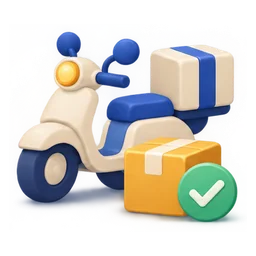
Delivery proof and staff attendanceڈیلیوری ثبوت اور حاضری

Capture a signature and notes for a preloaded delivery while offline and sync on return. Staff Android supports QR and face attendance according to assigned methods.پہلے سے لوڈ ڈیلیوری کا دستخط اور نوٹ آف لائن محفوظ کریں اور واپسی پر سنک کریں۔ مقررہ طریقے کے مطابق کیو آر اور چہرے کی حاضری دستیاب ہیں۔

Main PC Scanner and printingپی سی اسکینر اور پرنٹنگ

Pair Staff Android to scan eligible vouchers, gift cards, invoices and staff or table records. Preview cash reports and print End of Day on A4 or thermal paper.اسٹاف اینڈرائیڈ منسلک کر کے مجاز واؤچر، گفٹ کارڈ، رسید، عملے یا میز کا ریکارڈ اسکین کریں۔ کیش رپورٹ اے فور یا تھرمل پر پرنٹ کریں۔
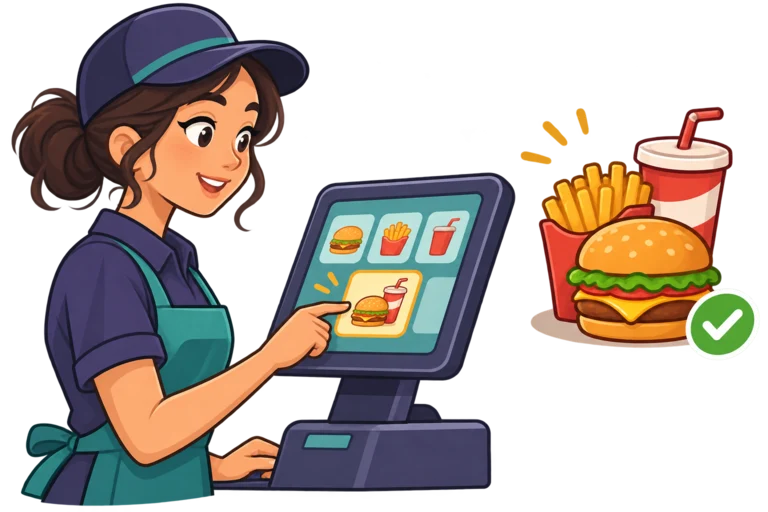
How NoxPos fits your restaurantNoxPos آپ کے کاروبار میں کیسے کام کرتا ہے

One-Tap Combo Dealsایک ٹیپ میں کومبو ڈیل

Build a fixed-price deal with the items and quantities you choose. It appears as a menu item. Tap it once and the full deal loads into the cart. The combo row shows the deal price, and its included items show zero.اپنی پسند کے آئٹمز اور مقدار کے ساتھ مقررہ قیمت کی ڈیل بنائیں۔ ڈیل مینیو میں ایک آئٹم کی طرح دکھتی ہے۔ ایک بار ٹیپ کرنے پر پوری ڈیل کارٹ میں آ جاتی ہے۔ قیمت کومبو کی لائن پر دکھتی ہے اور شامل آئٹمز کی قیمت صفر دکھتی ہے۔

Available on Main PC, Staff Waiter Ordering and Customer QR Ordering. Eligible vouchers can apply to the combo. Kitchen and bar tickets and inventory use the individual items.مین پی سی، ویٹر ایپ اور کسٹمر کیو آر آرڈرنگ پر دستیاب ہے۔ اہل واؤچر کومبو پر لگ سکتے ہیں۔ کچن اور بار ٹکٹ اور اسٹاک میں الگ الگ آئٹمز شمار ہوتے ہیں۔

Take orders from the tableمیز پر ہی آرڈر لیں

Waiters pick the table, add items and notes on their Android phone, and send the order to Main PC for approval.ویٹر اینڈرائیڈ فون پر میز منتخب کر کے آئٹمز اور نوٹس شامل کرتا ہے اور آرڈر منظوری کے لیے مین پی سی کو بھیجتا ہے۔
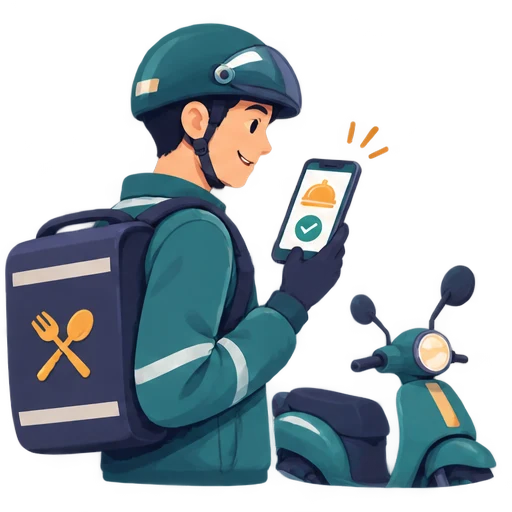
Manage delivery from assignment to handoverرائیڈر کی تعیناتی سے آرڈر کی وصولی تک

Assign orders to riders, follow delivery status and cash on delivery, and capture signatures and notes as proof of delivery.رائیڈر کو آرڈر دیں، ڈیلیوری کی حالت اور وصولی کی رقم دیکھیں اور ثبوت کے لیے دستخط اور نوٹس محفوظ کریں۔
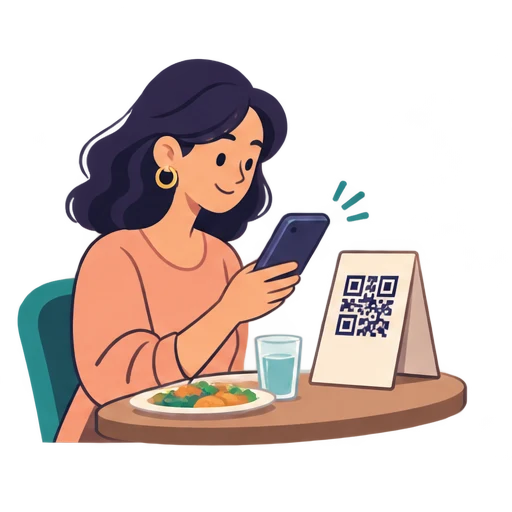
Order at the tableمیز سے آرڈر

Guests can scan the Table QR. Staff can send orders and add-ons to the kitchen while the bill stays open.مہمان میز کا کیو آر اسکین کر سکتے ہیں۔ عملہ بل کھلا رکھتے ہوئے آرڈر اور اضافی آئٹمز کچن کو بھیج سکتا ہے۔
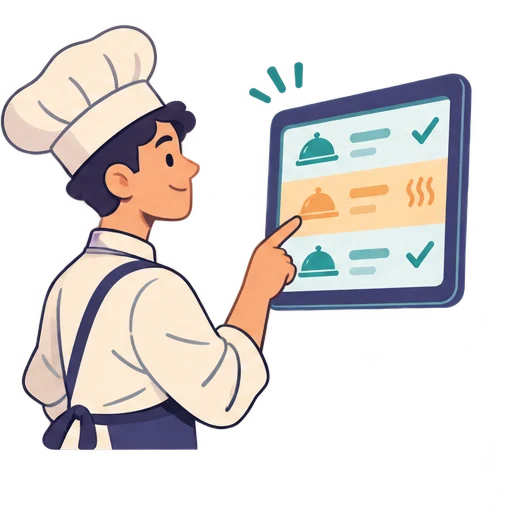
From kitchen to deliveryکچن سے ڈیلیوری تک

Route tickets to kitchen or bar, track preparation and assign delivery orders to riders.ٹکٹ کچن یا بار کو بھیجیں، تیاری دیکھیں اور ڈیلیوری رائیڈر کو مقرر کریں۔
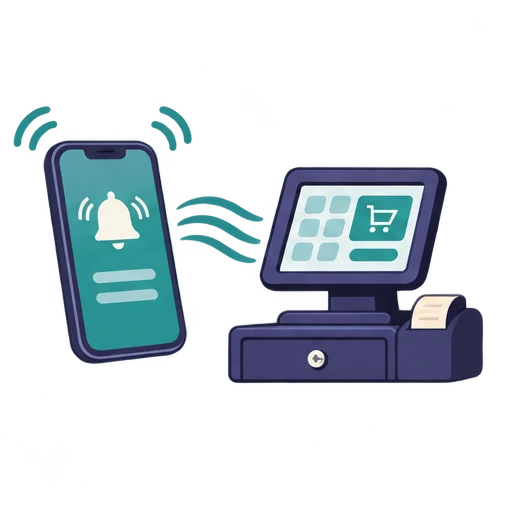
Incoming calls on your POSپی او ایس پر آنے والی کال

A paired Android phone can show the available caller number on Main PC so staff can look up the customer and save inquiry notes.منسلک اینڈرائیڈ سے دستیاب کالر نمبر مین پی سی پر ظاہر ہو سکتا ہے تاکہ عملہ کسٹمر تلاش کر کے انکوائری نوٹ محفوظ کرے۔

See how incoming calls workکال کی تفصیل دیکھیں ↗
View all featuresتمام فیچرز دیکھیں
NoxPos Restaurant · v1.1.2

Explore all featuresتمام فیچرز دیکھیں

One-Tap Combo Dealsایک ٹیپ میں کومبو ڈیل
  • Build a fixed-price deal with the items and quantities you choose. It appears as a menu item. Tap it once and the full deal loads into the cart. The combo row shows the deal price, and its included items show zero.اپنی پسند کے آئٹمز اور مقدار کے ساتھ مقررہ قیمت کی ڈیل بنائیں۔ ڈیل مینیو میں ایک آئٹم کی طرح دکھتی ہے۔ ایک بار ٹیپ کرنے پر پوری ڈیل کارٹ میں آ جاتی ہے۔ قیمت کومبو کی لائن پر دکھتی ہے اور شامل آئٹمز کی قیمت صفر دکھتی ہے۔
  • Available on Main PC, Staff Waiter Ordering and Customer QR Ordering. Eligible vouchers can apply to the combo. Kitchen and bar tickets and inventory use the individual items.مین پی سی، ویٹر ایپ اور کسٹمر کیو آر آرڈرنگ پر دستیاب ہے۔ اہل واؤچر کومبو پر لگ سکتے ہیں۔ کچن اور بار ٹکٹ اور اسٹاک میں الگ الگ آئٹمز شمار ہوتے ہیں۔
  • Mix & Match and automatic item discounts apply only to qualifying standalone items. Pay Later keeps the sent combo’s price and contents on the open table until settlement.مکس اینڈ میچ اور خودکار آئٹم رعایت صرف اہل الگ آئٹمز پر لگتی ہیں۔ بعد میں ادائیگی کے دوران بھیجی گئی ڈیل کی قیمت اور آئٹمز ادائیگی تک میز کے آرڈر میں محفوظ رہتے ہیں۔
Main PC — Restaurant POSمین پی سی · ریسٹورنٹ پی او ایس
Order types
Dine-in, Takeaway, and Delivery. Select a table for dine-in and a customer and rider for delivery.
Menu and cart
Menu photos, category filtering, item search, quantity controls, item notes, order notes, and visible cart totals. Select items with the keyboard or mouse.
Hold and resume
Hold an unfinished cart and retrieve it from Held Orders. Holding an order does not create a sale or a kitchen ticket.
Quick actions
Recent Orders, Mobile Network, Backup Now, notifications, profile and logout in the header. Open Tables and Order Requests appear when applicable. The POS includes a calculator, full-screen cart mode, and keyboard shortcuts.
Checkout
Configurable payment methods, tax, service charge, item or order discounts, voucher and gift-card redemption, and optional automatic printing at checkout.
Incoming orders
Review, approve, or reject waiter and customer submissions. For standard checkout, approval loads the submission into the POS cart. With Dine-in Pay Later, approval sends the items to the applicable preparation screens.
Order history
Search Recent Orders by invoice, order number, customer, phone, table, waiter, or cashier. View, print or reprint invoices, share invoice details through the WhatsApp workflow, and open delivery proof for completed deliveries with permission.
Cancellation and refunds
Permission-controlled cancellation and full or partial refunds. Refunds capture a reason and preserve the original order record. Inventory treatment distinguishes ready-made stock returns from ingredient wastage where applicable.

ڈائن اِن، ٹیک اوے اور ڈیلیوری آرڈر لیں۔ مینیو، کارٹ، نوٹس، ہولڈ آرڈر، منظوری، ادائیگی اور انوائس سنبھالیں۔ سابقہ آرڈر تلاش کریں اور اجازت سے ریفنڈ کریں۔

Tables and Dine-in Pay Laterمیز، کیو آر اور بعد میں ادائیگی
  • Create and edit tables, set seating capacity, and print one or all active table QR codes. Occupied tables show Order Open in waiter ordering.
  • Enable Dine-in Pay Later in POS settings. Send items to the kitchen or bar while the table bill remains unpaid.
  • See open tables, sent items, pending requests, and the current bill on Main PC.
  • Add items to an open table. The first ticket and add-on tickets use the same table order reference and retain their own preparation status.
  • Review waiter and customer requests to change quantities, cancel an item, update an item note, or request the bill. Approved additions create another preparation ticket. Kitchen staff can acknowledge reductions and cancellations.
  • Preview and print an Unpaid Invoice. Settlement creates the final invoice number and invoice QR.
  • Reserve valid stock for approved items. Settlement uses those reservations so the same quantities are not deducted twice.
  • Carry unsettled tables and outstanding tickets forward through End of Day. Unpaid amounts are shown separately.

میزوں کی گنجائش مقرر کریں اور کیو آر پرنٹ کریں۔ بل کھلا رکھ کر آرڈر اور اضافی آئٹمز کچن کو بھیجیں۔ تبدیلی اور بل کی درخواست دیکھیں، غیر ادا شدہ رسید پرنٹ کریں اور ادائیگی پر حتمی انوائس جاری کریں۔

Menu, Offers, Vouchers, and Gift Cardsمینیو، آفرز، واؤچرز اور گفٹ کارڈ
Menu Items
Create and edit menu items, set selling prices and categories, manage active status, and add item photos. Menu import and a downloadable spreadsheet template are available.
Categories
Organize the catalog and route categories to Kitchen KDS, Bar Screen, or both where configured. Categories can also have preparation routing disabled.
Mix & Match
Fixed Bundle Price and Buy & Get offers. Choose qualifying and reward items and quantities, make the reward free or percentage-discounted, set eligible order types, and schedule validity. Edit or enable and disable offers. Expired offers show Expired.
Discount Vouchers
Fixed-amount and percentage codes with eligibility rules, validity dates, and usage limits. Create, edit, enable or disable eligible records, display usage, and print voucher QR codes.
Invoice Vouchers
Configure campaigns that issue a voucher on a qualifying invoice for a future order. Set the qualifying invoice amount, next-order reward, and validity period. Manage campaign rules and activation, and view issued voucher records.
Gift Cards
Issue stored-value cards, redeem against a sale, pay any balance with the selected tender, and check remaining balance and activity. A cashier can issue a card from the cart when permitted. Admin can open and reprint gift-card QR codes from History.
Pricing and tender
The selected order type controls eligibility. An eligible voucher takes priority over Mix & Match. Mobile ordering can submit a voucher or gift card for review, and the Main PC validates and debits the gift card at completed checkout.

تصاویر اور کیٹیگری کے ساتھ مینیو سنبھالیں۔ مقررہ قیمت کے بنڈل، خریداری پر انعام، رعایتی واؤچر اور اگلی خریداری کے لیے انوائس واؤچر بنائیں۔ گفٹ کارڈ جاری کریں، استعمال کریں اور اجازت سے دوبارہ پرنٹ کریں۔

Kitchen, Bar, and Customer Screensکچن، بار اور کسٹمر اسکرینیں
  • Kitchen KDS and Bar Screen: Incoming KOT queue, per-station preparation routing, and ticket progression through preparation, ready, and completed. Review recent tickets, add-ons, and item changes.
  • Customer Order Status board: Preparing and Ready lists for customer-facing screens, configurable ready display timing, and advertisement space. Stale Preparing entries age out of the public display while the underlying order history remains available.
  • Customer Display: A separate till display with the live cart and totals, space for an image or HTML advertisement, payment QR and bank details where configured, and a thank-you and invoice view after checkout.
  • Menu Display / Advertisement: Up to ten individually configured browser displays with their own links, image or HTML content, timing, and previews.
  • Customer Table QR: Browse and order for a table, apply eligible vouchers or gift cards, follow the current visit and staff add-ons, request changes or the bill, and see preparation progress. Ready or complete tickets can trigger sound and vibration, with a control to stop the alert. After settlement, the customer sees a thank-you message and the visit closes. Scanning the Table QR again opens a new visit.

کیٹیگری کے مطابق ٹکٹ کچن یا بار کو بھیجیں۔ آرڈر کی تیاری اور تیار ہونے کی حالت دکھائیں۔ کسٹمر ڈسپلے پر کارٹ، ادائیگی کا کیو آر، مینیو یا اشتہار دکھائیں۔

Delivery Managementڈیلیوری مینجمنٹ
  • Save and search delivery customer profiles, select them at checkout, and open their order history subject to permissions.
  • Assign or reassign a rider, record rejection and reassignment reasons, and view the assignment audit trail.
  • Set delivery charges, see order and delivery statuses, and track rider fees and cash-on-delivery amounts.
  • Follow Assigned → Accepted → Out for Delivery → Delivered. Dispatch is gated by kitchen readiness where applicable.
  • View delivery proof for completed orders, including the rider, actual completion time, notes, and signature when captured.
  • Delivery signatures are stored separately on the Main PC and expire 15 days after receipt. The order record and delivery history remain available. View Proof shows an expired or unavailable message when appropriate.
  • Permanent rider earnings and history with rider and date filters. End of Day clears the rider's recent-order view at the cutoff while preserving the permanent earnings records.

کسٹمر ریکارڈ اور رائیڈر اسائنمنٹ سنبھالیں۔ آرڈر کی حیثیت، نقد وصولی اور رائیڈر کی آمدنی دیکھیں۔ مکمل ڈیلیوری کے دستخط، وقت اور نوٹس دیکھیں۔

Inventory Managementانوینٹری مینجمنٹ
  • Stock dashboard with low-stock, near-expiry, and expired-stock visibility. Set the alert window and toggle expiry notifications.
  • Track ready-made items and raw ingredients with units, minimum stock levels, costs, and links to menu items.
  • Receive stock by batch with supplier, lot, quantity, unit cost, and expiry date.
  • Set up recipes and ingredient quantities per portion. Track stock consumption at checkout and reservations for open table orders.
  • Record stock adjustments, wastage, expiry losses, and applicable refund-related returns or wastage.
  • Filter and export inventory reports. Recorded views include balances and valuation, movements, ingredient usage, recipe costing, expiry and batches, purchases and suppliers, stock aging, and loss. Views rely on recorded data, so a report may be empty where its underlying records are unavailable.
  • Print and save supported inventory reports as PDF. Use inventory keyboard shortcuts for common actions.

اجزا، ترکیب، بیچ، میعاد، کم اسٹاک، ضائع شدہ اسٹاک اور میز کے آرڈر کے لیے محفوظ مقدار ٹریک کریں۔ اسٹاک اور خریداری کی رپورٹس دیکھیں یا برآمد کریں۔

Cash Session, End of Day, and Reportsکیش سیشن، دن کا اختتام اور رپورٹس
Cash Session
Open a session, record opening cash and Cash In or Cash Out, reconcile expected and actual cash, and close with a recorded difference. Permissions apply to individual operations.
Expenses
Record and review operating expenses. Add and delete actions follow their own permission rules.
End of Day
Manager/Admin business-period close and saved history. Reconcile food sales, tax, service charge, refunds, payment collections, expenses, rider payable, cash, cancelled orders, and unpaid tables. Print current or closed reports in A4 portrait or the configured 58 mm or 80 mm thermal format.
Restaurant Reports
Sales Overview, Orders, Items & Categories, Staff & Waiters, Tables, Payments & Cash, Expenses & Profit, KDS Performance, Mix & Match, Vouchers, Gift Cards, Dine-in Pay Later, Call Inquiries, and Admin Override for eligible roles.
Filters and output
Date filters and relevant filters for order type, payment, staff, or table. Export the selected report as CSV or use available Print and Save PDF controls. Restaurant Report PDFs use A4 portrait with repeating headers.
Profit
Uses item cost recorded at checkout where available. Older sales without historical cost are marked accordingly.
Delivery reports
Delivery order reports and permanent rider earnings reports with rider and date filters. Delivery orders support Print, Save PDF, and CSV export.

کیش کی آمد و اخراج، اخراجات اور اختتامی فرق ریکارڈ کریں۔ فروخت، میز، رائیڈر، آفر، انکوائری اور منظوری کی رپورٹس دیکھیں۔ دستیاب فارمیٹ میں پرنٹ یا برآمد کریں۔

Staff Attendance, Rosters, and Leaveعملے کی حاضری، روسٹر اور چھٹی
  • Staff profiles and printable staff cards or badge QRs.
  • Per-user allowed attendance methods with QR and face verification options. The system records the verification method for check-in and check-out separately.
  • Attendance Today and History, manual attendance and time adjustments for authorized users, and attendance audit records.
  • Shift setup, roster assignment, and roster period views. Review scheduled shifts, attendance, and leave.
  • Staff submit leave requests in Android. Eligible Managers and Admins can review requests, record decisions, and access history. Manager permissions restrict actions on protected accounts.
  • Staff Android face enrolment captures three aligned samples for new enrolments. Admin can reset a face template for re-enrolment. The browser attendance terminal supports allowed QR flows and compatible older face enrolments.

عملے کے کارڈ، کیو آر یا چہرے سے حاضری، شفٹ، روسٹر اور چھٹی کی درخواست سنبھالیں۔ اجازت یافتہ مینیجر درخواستوں کا فیصلہ کر سکتے ہیں۔

Security, Permissions, and Notificationsسیکیورٹی، اجازتیں اور نوٹیفکیشن
  • Separate Restaurant users, role assignments, module permissions, and an Admin Override PIN.
  • Configure protected actions by role. For operations that offer Send Approval Request, an eligible Manager or Admin can approve from the Main PC notification menu or the Staff Android Manager → Approvals screen.
  • Requests are time-limited and cannot be approved by the requester. The system rechecks relevant records and permissions before applying an approved action. Approval history records the requester, decision, and result.
  • Main PC notification center with unread count and per-type settings for enablement, pop-ups, and sound. Notifications cover incoming orders, table changes and bill requests, approvals, preparation readiness, delivery activity, inventory warnings, attendance or leave changes, calls, and supported operational errors.
  • A user profile menu provides account details and logout. Screens and actions depend on the user's role and permissions.

کردار کے مطابق رسائی دیں۔ مجاز مینیجر یا ایڈمن پی سی یا اینڈرائیڈ پر منظوری دے سکتا ہے۔ آرڈر، بل، ڈیلیوری اور کال کے نوٹیفکیشن ترتیب دیں۔

Receipts, Hardware, Settings, and Backupsرسید، ہارڈویئر، ترتیبات اور بیک اپ
  • Business name, logo, address, phone, email, tax and business licence details. Configure currency, tax, service charge, payment methods, and overselling settings.
  • Receipt title, footer, invoice prefix, visibility of selected business fields, paper layout, and auto-print settings. Choose 58 mm or 80 mm thermal paper, or A5 or A4 receipt layouts.
  • Preferred printer selection and test receipt. View and print originals and duplicates, plus unpaid invoices for open table bills.
  • NoxPos Navy and Clean Light appearance, interface density, and the Main PC date and clock display.
  • Local database backup and restore. Automatic backup uses the default folder. Backup Now opens Save As to choose a folder or drive. The header shows automatic and manual backup timestamps.
  • New backups retain delivery history and proof references while excluding signature images. A restore can show a missing proof placeholder when the original local image is unavailable.
  • Machine-linked licence activation, offline installer update workflow, and an online update check. The separate seller tools support lifetime and expiry-date licences.

رسید کی برانڈنگ، کرنسی، ٹیکس، سروس چارج، ادائیگی اور پرنٹر ترتیب دیں۔ مقامی ڈیٹابیس کا خودکار یا دستی بیک اپ لیں اور ضرورت پر بحال کریں۔

NoxPos Staff — AndroidNoxPos اسٹاف · اینڈرائیڈ
Waiter
Pair using the Waiter QR, sign in, select tables, see seat counts and open-table status, browse menu items and photos, edit the cart and notes, apply or scan eligible vouchers or gift cards, review and submit orders, request table changes or bills, track live items and add-on tickets, and review completed orders.
Delivery Boy
Pair with the Delivery Boy QR and sign in. View Assigned, Active, History, and Earnings. Accept, reject with reason, go out for delivery, see order items and applicable COD, open the dialer or maps, complete with notes and signature, and filter the permanent earnings report by date. Assignment and kitchen-ready alerts are supported.
Offline delivery
Load the order and confirm Out for Delivery before leaving the local network. Cached orders can be reopened for up to 24 hours. The phone saves the signature, notes, and completion time until the Main PC acknowledges the update after reconnection.
Staff
Pair from the Attendance QR. Record attendance with allowed methods, enrol face samples when authorized, see today's summary, view assigned shifts and attendance history, and submit leave requests.
Manager
View staff overview and roster, assign eligible staff to shifts, review leave requests, and respond to eligible Admin Override requests. Approval notifications depend on the signed-in account and Android notification permissions.
Main PC Scanner
Pair using the scanner QR and sign in with the same account as the Main PC. Scan voucher and gift-card codes into an open cart. Outside checkout, supported invoice, staff badge, table, voucher, or gift-card scans open the matching record.

ویٹر آرڈر، رائیڈر اسائنمنٹ اور آف لائن ثبوت، حاضری، مینیجر منظوری اور مین پی سی اسکینر کے موڈز دستیاب ہیں۔ متعلقہ کیو آر سے ایپ جوڑیں۔

NoxWox Call Companion — AndroidNoxWox کال کمپینین · اینڈرائیڈ
  • Pair separately with NoxPos Restaurant and run Test Connection.
  • Pass the caller number, call time, and device information to the Main PC for supported incoming SIM calls.
  • On the Main PC, open matching Delivery Customers records or review the incoming call in Call History & Inquiries. Save inquiry category, notes, follow-up status, and optional linked order. Set follow-up reminders where permitted.
  • Caller number delivery depends on the phone and Android permissions. The app does not record call audio.

مطابقت رکھنے والے فون سے آنے والی کال کا دستیاب نمبر مین پی سی پر دیکھیں۔ کسٹمر تلاش کریں، انکوائری محفوظ کریں اور ضرورت پر آرڈر سے جوڑیں۔

Browser Screens and Local Networkبراؤزر اسکرینیں اور مقامی نیٹ ورک
Waiter Ordering
Signed-in waiter menu, cart, submission, order status, and open-table actions.
Customer Table Ordering
Per-table QR ordering, live table bill, changes, readiness alerts, and visit closure after payment.
Kitchen KDS
Kitchen ticket queue and preparation updates.
Bar Screen
Separate bar preparation tickets and status updates.
Customer Order Status
Public Preparing and Ready board and configurable advertising space.
Delivery Boy
Rider sign-in, assigned orders, status updates, history, and earnings over the local connection.
Staff Attendance
Browser attendance terminal with applicable verification methods.
Menu Displays
Individually configured menu or advertising displays.

The Main PC hosts the restaurant network for Android and browser tools. Devices connect on the same reachable Wi-Fi, Ethernet network, or hotspot. Main PC can select the network adapter and print one or all operational pairing QR codes. Table Management provides its own table-specific QR printing. NoxPos Staff handles offline delivery completion. The browser ordering and display screens use the live local Main PC connection.

ٹیبل کیو آر، ویٹر، کچن اور بار، کسٹمر آرڈر اسٹیٹس، ڈیلیوری، حاضری اور مینیو ڈسپلے مقامی نیٹ ورک سے مین پی سی کے ساتھ جڑتے ہیں۔

Main PC and mobileمین پی سی اور موبائل

LOOKING FOR THE OTHER EDITION?دوسرا ایڈیشن چاہیے؟

Explore NoxPos RetailNoxPos ریٹیل دیکھیں۔

View Retail POSریٹیل POS دیکھیں

Your next chapter starts with NoxPos.آپ کے کاروبار کا اگلا قدم، NoxPos کے ساتھ۔

Let’s find the right NoxPos edition for the way you work.آپ کے کام کے لیے مناسب NoxPos ایڈیشن منتخب کرتے ہیں۔

Plan Enquiryپیکج کی درخواست